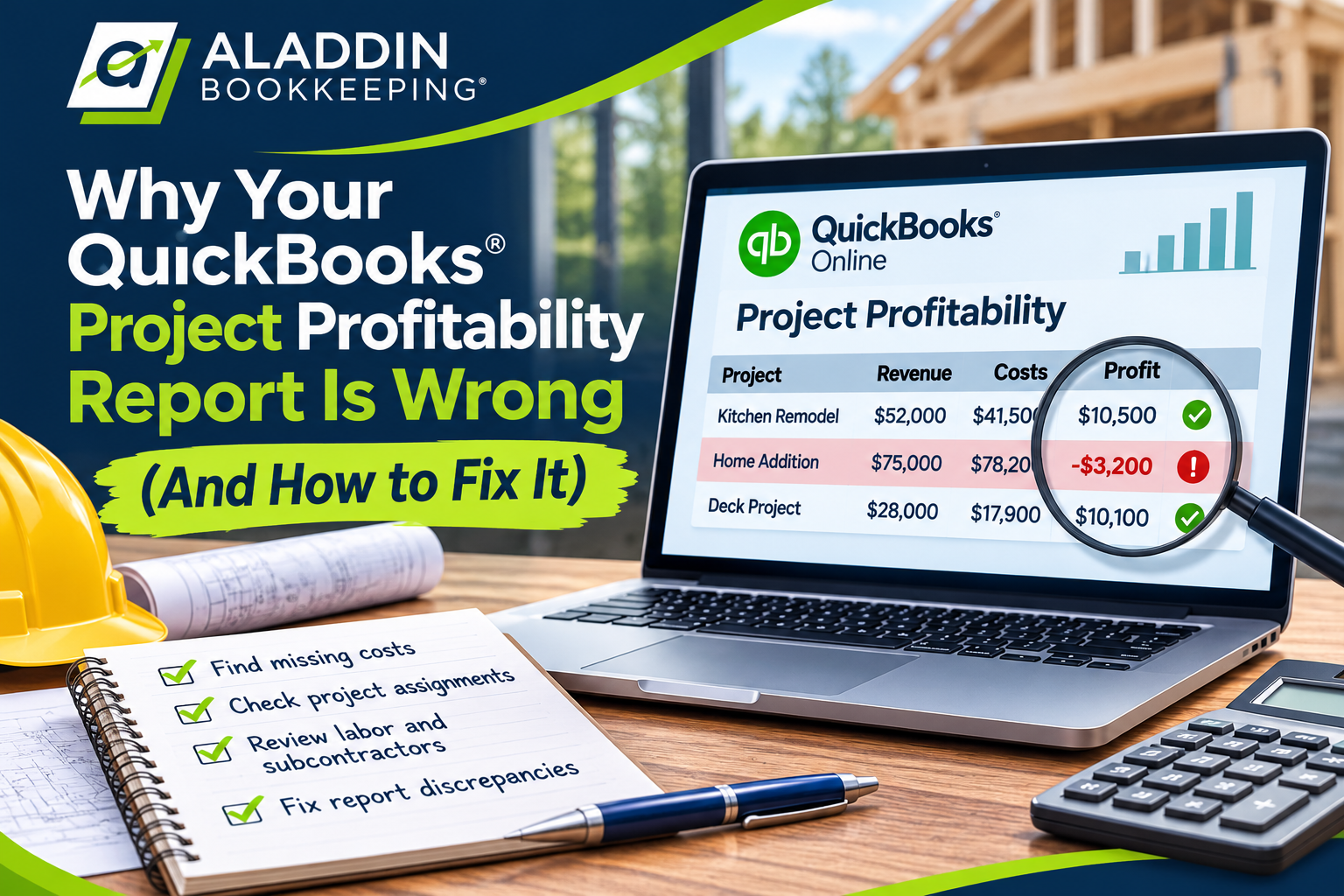
You’ve set up Projects in QuickBooks Online, assigned expenses to customers, and started tracking the profitability of your construction jobs.
But when you review your QuickBooks project profitability reports, something doesn’t add up.
Maybe your QuickBooks Profit and Loss statement shows thousands of dollars in materials expenses, but your project reports show almost none.
Or perhaps a project that you know was expensive to complete appears unusually profitable.
You might even have two reports showing different profit amounts for what seems like the same job.
If your QuickBooks project profitability report don’t match your actual expenses, the problem isn’t necessarily with QuickBooks itself. Often, the issue comes down to how transactions are recorded, categorized, or assigned to projects.
For contractors, inaccurate job costing can be especially frustrating because it makes it difficult to determine whether projects are actually profitable.
Let’s look at nine common reasons QuickBooks project profitability report don’t match your actual expenses, how to identify the problems, and what you can do to correct them.
1. Expenses Aren’t Assigned to the Correct Project
One of the most common reasons job costing reports are inaccurate is that expenses haven’t been assigned to a project.
QuickBooks Online can record an expense correctly in your general ledger without automatically knowing which construction project it belongs to.
For example, suppose you purchase $3,500 in lumber for a remodeling project.
You record the transaction in QuickBooks and categorize it as Job Materials.
Your Profit and Loss statement correctly includes the $3,500 expense.
However, if you don’t assign that expense to the appropriate project, it may not appear in the project’s profitability report.
Why This Happens
Contractors often purchase materials from the same vendors for multiple projects.
A purchase from Home Depot, Lowe’s, or a local supply house might be for one project, several projects, or general business supplies.
QuickBooks doesn’t necessarily know the intended project just because the vendor is familiar.
How to Fix It
Review transactions that should be associated with customer jobs and confirm that the appropriate project has been selected.
In QuickBooks Online, this may involve assigning the project in the Customer/Project field on the relevant transaction line.
If a purchase covers multiple projects, you may need to split the transaction into separate lines and assign the appropriate amounts to each project.
Important: Categorizing an expense as Cost of Goods Sold doesn’t automatically assign it to a project.

The expense account determines where the cost appears in your financial statements. The project assignment determines which job receives the cost.
Both are important.
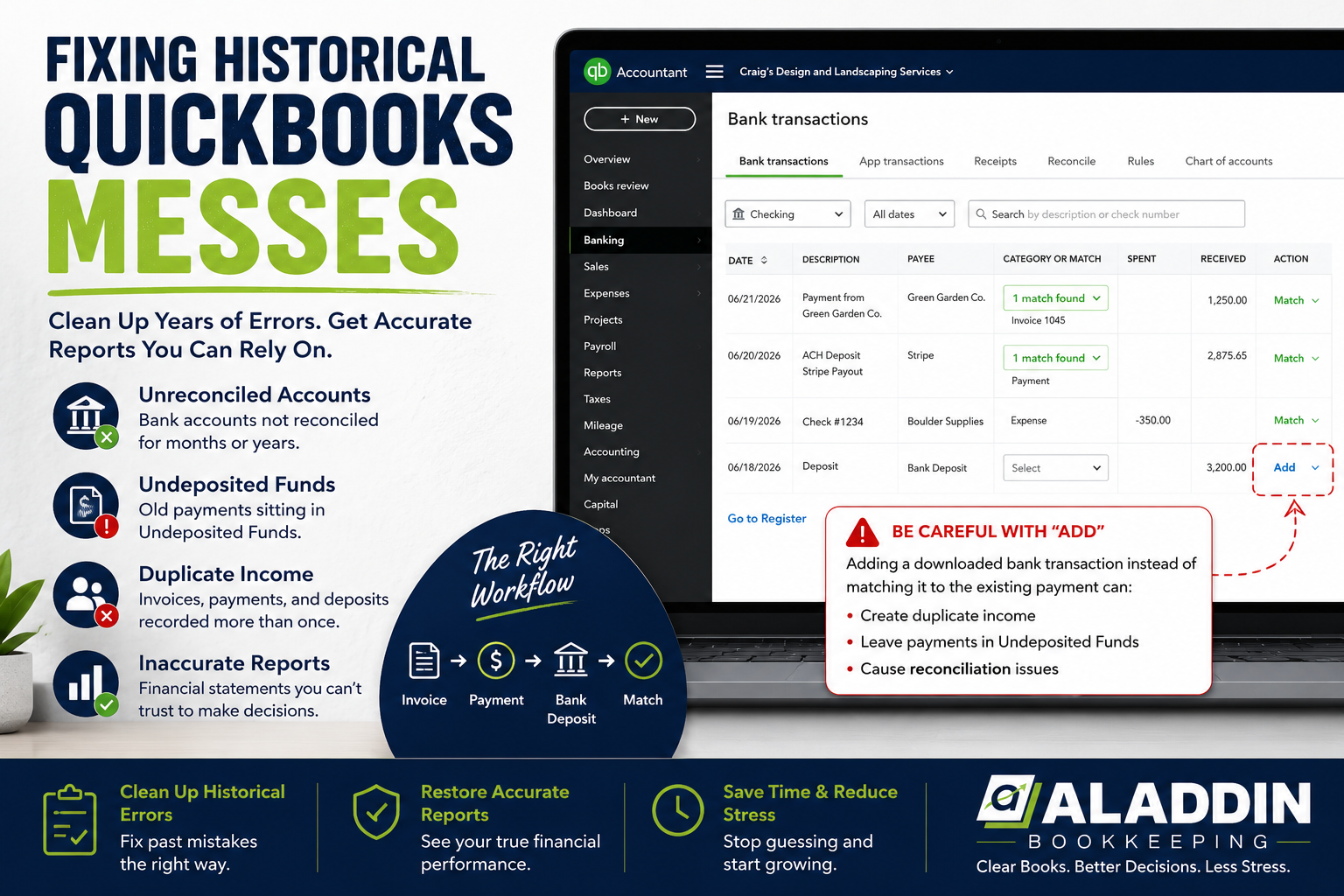
2. Bank Feed Transactions Are Being Added Instead of Matched
Bank feeds make bookkeeping easier, but they can also create duplicate expenses when transactions are handled incorrectly.
This is especially common when contractors enter vendor bills into QuickBooks and later see the corresponding payments in their bank feeds.
Example: A Duplicate Materials Expense
Suppose a contractor receives a $4,800 invoice from a lumber supplier.
The bill is entered into QuickBooks and assigned to the correct construction project.
A few days later, the contractor pays the bill.
When the $4,800 payment appears in the bank feed, someone categorizes it as a new materials expense instead of matching it to the existing bill payment.
Now QuickBooks may contain:
- The original $4,800 vendor bill
- A separate $4,800 expense created from the bank feed
Depending on how the transactions are assigned, the duplicate might affect the project’s profitability, the company’s financial statements, or both.
How to Fix It
Before adding a transaction from the bank feed, determine whether it has already been recorded in QuickBooks.
If the transaction represents payment of an existing bill, it should generally be matched to the corresponding bill payment rather than entered as a new expense.
Review the vendor’s transaction history and confirm that the bill, payment, and bank activity are connected correctly.
Be especially careful when your company uses construction management software or accounts payable software that automatically creates transactions in QuickBooks.
Duplicate transactions can occur when more than one system records the same activity.
3. Materials Are Assigned to the Wrong Job
Even when expenses are assigned to projects, they may be assigned to the wrong ones.
This is particularly common for contractors managing several jobs at the same time.
For example, a general contractor might be working on three homes simultaneously.
A $2,200 materials purchase intended for Lot 12 is accidentally assigned to Lot 14.
Both projects now have incorrect profitability reports.
Lot 12 appears more profitable than it actually is, while Lot 14 appears less profitable.
The company’s overall expenses may still be correct, making the mistake harder to notice.
Why This Matters
Incorrect project assignments can lead contractors to make poor decisions about pricing, budgeting, and future work.
If a contractor believes a certain type of project consistently produces strong margins, they may continue accepting similar jobs.
But if expenses have been assigned incorrectly, those margins may not reflect reality.
How to Fix It
Review project assignments regularly, especially for purchases from vendors that supply multiple jobs.
Whenever possible, include project information in purchase documentation.
For example, vendor invoices might reference the customer name, project address, lot number, or job number.
If you use a shared company credit card for materials, establish a process for identifying the appropriate project before transactions are finalized.
For contractors with multiple active jobs, reviewing project allocations monthly can prevent small mistakes from accumulating.
4. Labor Costs Aren’t Included in QuickBooks Project Profitability Report
Labor is often one of the largest costs associated with construction projects.
Unfortunately, labor costs can also be among the most difficult expenses to track accurately.
A contractor might process payroll through Gusto, QuickBooks Payroll, ADP, or another payroll provider.
The payroll expenses may appear correctly in QuickBooks, but that doesn’t necessarily mean the wages have been allocated to individual projects.
Example: Missing Labor Costs
Suppose a remodeling project generates $25,000 in revenue.
The project has the following costs:
| Expense | Amount |
|---|---|
| Materials | $9,000 |
| Subcontractors | $4,000 |
| Employee labor | $5,000 |
| Total direct costs | $18,000 |
| Actual gross profit | $7,000 |
If QuickBooks only includes materials and subcontractors in the project report, the project may appear to have $12,000 in gross profit.
That’s a $5,000 difference.
The company might believe the project earned a 48% gross margin when its actual gross margin was only 28%.
How to Fix It
Determine how employee labor is currently recorded in QuickBooks and whether your payroll or time-tracking workflow supports allocating those costs to projects.
Depending on your QuickBooks subscription, payroll setup, and integrations, you may be able to track project-related time and labor costs using supported features.
However, entering employee hours against a project doesn’t always mean the complete payroll cost will automatically appear in every profitability report.
You may need to review how labor costs are calculated, whether actual payroll costs are available, and how employer payroll taxes or benefits are handled.
The important thing is to establish a consistent method that reflects the actual cost of labor.
Avoid simply assuming that all payroll expenses are included in your job costing reports.
5. Subcontractor Bills Are Recorded Without Project Assignments
Many contractors rely heavily on subcontractors.
Electricians, plumbers, painters, roofers, and other trades may perform work across several projects.
When subcontractor invoices are entered into QuickBooks, they should generally be associated with the appropriate project when the costs are directly related to that job.
A Common Problem
Suppose a general contractor receives a $7,500 plumbing invoice.
The bill is entered correctly and categorized as Subcontractor Expenses.
However, the project field is left blank.
The company’s Profit and Loss statement includes the expense, but the QuickBooks project profitability report may not.
This can make the project appear significantly more profitable than it actually is.
How to Fix It
When entering subcontractor bills, verify the project assignment on each applicable line.
If a subcontractor performs work for multiple projects on one invoice, separate the costs by project.
It’s also helpful to require subcontractors to identify the project address or job number on their invoices.
This can reduce the time spent trying to determine which project an expense belongs to.
For contractors with a large number of subcontractors, consistent invoice documentation is especially important.
6. Credit Card Transactions Are Missing or Duplicated
Credit cards are commonly used to purchase construction materials, fuel, tools, and supplies.
However, credit card transactions can cause problems when multiple cards, employee cards, or accounting integrations are involved.
Missing Transactions
Suppose an employee uses a company credit card to purchase $1,200 in materials.
If the employee’s card transactions aren’t properly connected or imported into QuickBooks, the expense may be missing from both the company’s books and its project reports.
Duplicate Transactions
The opposite problem can also occur.
A transaction may be entered manually and then imported again through the credit card feed.
Or a financial institution may change how transactions from primary and employee cards are imported, resulting in overlapping activity.
If both entries remain in QuickBooks, expenses may be overstated.
How to Fix It
Reconcile every credit card account regularly.
Compare the transactions in QuickBooks against the actual credit card statements.
Review whether employee card activity is being imported correctly and whether transactions are duplicated across accounts.
Also confirm that project-related purchases are assigned to the appropriate jobs.
A credit card reconciliation helps verify the account balance, but it doesn’t guarantee that every expense has been assigned to the correct project.
Both steps are necessary for accurate job costing.
7. Project Reports and Profit and Loss Reports Are Measuring Different Things
Sometimes two QuickBooks reports don’t match because they aren’t designed to show the same information.
This doesn’t necessarily mean either report is incorrect.
Your company-wide Profit and Loss statement includes income and expenses recorded in the selected accounts and reporting period.
A QuickBooks project profitability report focuses on transactions and costs associated with a particular project, subject to the features and settings used.
Example
Suppose your construction company has the following monthly expenses:
| Expense | Amount |
|---|---|
| Job materials | $20,000 |
| Subcontractors | $15,000 |
| Office rent | $2,500 |
| Administrative payroll | $6,000 |
| Advertising | $1,500 |
| Total expenses | $45,000 |
Your project reports might include the $35,000 in materials and subcontractor expenses assigned to jobs.
The remaining $10,000 represents overhead expenses that may not be allocated to individual projects.
That difference isn’t automatically an error.
How to Compare Reports Correctly
Before comparing reports, verify that they use the same date range and accounting basis where applicable.
Also review which types of transactions each report includes.
A project profitability report and a company-wide Profit and Loss statement may serve different purposes.
For example, project gross profit generally focuses on revenue less direct project costs.
Company net income also reflects operating expenses and other applicable items.
The key is understanding what each report measures before expecting the totals to agree.
8. Historical Transactions Were Changed After Reports Were Reviewed
Construction projects often last several months.
During that time, transactions may be edited, reclassified, deleted, or reassigned.
These changes can affect previously reviewed project profitability reports.
Example
Suppose a contractor reviews a project in August and determines that it generated $18,000 in gross profit.
In September, someone discovers that a $3,000 materials expense was assigned to the wrong project.
The transaction is corrected and assigned to the original job.
When the contractor runs the project report again, the reported gross profit may now be $15,000.
The difference isn’t necessarily caused by a new September expense.
It may be the result of a correction to an earlier transaction.
Why This Matters
If project reports are used to evaluate employee performance, estimate future jobs, or calculate incentive compensation, historical changes can create confusion.
How to Fix It
Establish a consistent monthly review process.
Before finalizing a period, verify that project-related transactions have been assigned correctly.
Use QuickBooks’ Audit Log when investigating changes to existing transactions.
If financial reports have already been reviewed, document significant corrections that affect previously reported project profitability.
For companies that need tighter controls, closing-date settings can help restrict changes to prior periods, depending on the QuickBooks configuration.
The goal is to maintain a reliable history of financial information while still allowing legitimate corrections.
9. Construction Management Software Isn’t Syncing Correctly With QuickBooks
Many contractors use construction management software alongside QuickBooks Online.
Examples include JobTread and other platforms that manage estimates, budgets, customer invoices, vendor bills, and project information.
These systems can provide valuable operational tools, but integrations need to be configured and monitored carefully.
What Can Go Wrong?
Depending on the software and integration settings, problems may include:
- Transactions recorded in both systems
- Vendor bills that don’t sync as expected
- Expenses assigned to incorrect projects
- Inconsistent cost codes or account mappings
- Customer invoices recorded more than once
- Historical changes that don’t update consistently
- Project costs missing from one system
For example, a contractor might review a construction management report showing $85,000 in project costs.
QuickBooks might show $78,000.
The difference could be caused by transactions that haven’t synced, different reporting dates, commitments included in one report but not the other, or inconsistent cost classifications.
How to Fix It
Start by identifying which system is responsible for creating each type of transaction.
Determine where vendor bills, customer invoices, payments, and project costs should originate.
Review the integration’s account mappings and synchronization settings.
Then compare a sample of transactions between the two systems.
It’s important to distinguish between actual accounting expenses and other project information, such as estimates, purchase orders, or committed costs.
A construction management budget may include amounts that haven’t yet become accounting expenses.
Those figures won’t necessarily match a QuickBooks expense report.
Automation can reduce manual work, but it doesn’t eliminate the need to review financial information.
How to Find Missing Job Costs in QuickBooks Online
If your QuickBooks project reports don’t seem accurate, it’s best to investigate systematically rather than making random adjustments.
Here’s a practical process.
Step 1: Review the QuickBooks Project Profitability Report
Open the relevant project in QuickBooks Online and review its available profitability information.
Look for unusually low expenses, missing labor, unexpected transactions, or costs that don’t appear reasonable.
Step 2: Compare the Project With Your General Ledger
Review the company’s Profit and Loss statement or transaction detail reports for the same period.
Focus on direct-cost accounts such as materials, subcontractors, and direct labor.
Remember that company-wide totals may include costs from other projects or expenses that haven’t been assigned to a job.
Step 3: Look for Unassigned Expenses
Review transactions in direct-cost accounts that don’t have a project assignment.
These may include vendor bills, credit card charges, and bank-feed expenses.
Determine whether the expenses belong to a specific project before making changes.
Step 4: Review Vendor Transactions
Check major suppliers and subcontractors.
Compare vendor invoices against the transactions recorded in QuickBooks.
Verify that invoices haven’t been omitted or entered twice.
Step 5: Review Payroll and Labor Allocations
Determine whether employee labor is being tracked by project and how those costs appear in the reports.
Don’t assume that time entries and actual payroll expenses are interchangeable.
Step 6: Check Software Integrations
If your company uses construction management software, review synchronization activity and confirm that transactions are reaching QuickBooks as intended.
Step 7: Reconcile Bank and Credit Card Accounts
Verify that the transactions in QuickBooks agree with the actual statements.
Investigate missing payments, duplicates, and incorrectly recorded transfers.
Step 8: Correct the Underlying Transactions
Once you’ve identified the cause of the discrepancy, correct the appropriate source transactions.
Avoid using journal entries simply to force a project profitability report to match an expected number.
A journal entry may affect the general ledger without properly correcting the project-level information.
Whenever possible, correct the original bill, expense, invoice, or project assignment according to the transaction’s actual purpose.
Why Accurate QuickBooks Project Profitability Reports Matters for Contractors
Job costing isn’t just about making QuickBooks reports look correct.
It helps contractors understand how much they’re actually earning on individual projects.
Consider a contractor who completes five projects during the month.
| Project | Revenue | Direct costs | Gross profit |
|---|---|---|---|
| Project A | $35,000 | $25,000 | $10,000 |
| Project B | $42,000 | $36,000 | $6,000 |
| Project C | $28,000 | $19,000 | $9,000 |
| Project D | $50,000 | $46,000 | $4,000 |
| Project E | $25,000 | $17,000 | $8,000 |
Project D generated the highest revenue but one of the lowest gross profits.
Without accurate job costing, the contractor might assume it was the company’s most successful project.
Reliable project reporting helps contractors identify which types of work are profitable, recognize cost overruns, improve future estimates, and make better pricing decisions.
It can also reveal operational issues.
For example, consistently high labor costs on certain types of projects might indicate estimating problems, scheduling inefficiencies, or unexpected project complexity.
The more reliable your job costing information is, the more useful it becomes for managing your business.
How Often Should Contractors Review Their QuickBooks Project Profitability Report?
For companies with active construction projects, reviewing job costs only at year-end is rarely sufficient.
A monthly review is a reasonable starting point, although larger or more active projects may benefit from weekly reviews.
A useful review process includes checking that:
- Major vendor bills have been entered.
- Project expenses are assigned correctly.
- Labor costs are included consistently.
- Customer invoices and payments are recorded correctly.
- Duplicate transactions have been investigated.
- Construction management software is syncing as expected.
- Project profitability reports reflect the costs recorded to date.
Keep in mind that a project still in progress may have additional costs that haven’t been invoiced or recorded yet.
A profitability report reflects the information currently available in the accounting system, not necessarily the final outcome of an unfinished project.
Frequently Asked Questions About QuickBooks Project Profitability Report
Why Are My QuickBooks Project Expenses Missing?
Project expenses may be missing because transactions weren’t assigned to the project, haven’t been entered into QuickBooks, were recorded under a different project, or aren’t included in the report being reviewed.
Does QuickBooks Online Automatically Track Job Costs?
QuickBooks Online offers project tracking features on eligible plans, but accurate job costing still depends on transaction assignments, payroll workflows, and how the accounting system is configured.
Why Doesn’t My QuickBooks Project Profitability Report Match My Profit and Loss Statement?
Project profitability and company-wide profit and loss reports may include different transactions, costs, and reporting scopes.
Company overhead, unassigned expenses, and differences in reporting periods can contribute to the discrepancy.
Can I Track Labor Costs by Project in QuickBooks Online?
QuickBooks Online supports project-related time and labor tracking through certain features and integrations. The available options depend on your subscription and payroll setup.
Why Are My Job Costs Higher Than Expected?
Higher-than-expected job costs may result from duplicate transactions, incorrect project assignments, additional labor, material price increases, or expenses that weren’t included in the original estimate.
Should Every Business Expense Be Assigned to a Project?
No. Expenses directly related to a particular job are generally the most relevant for project costing.
General business overhead may remain separate unless the company uses a consistent method for allocating those costs to projects.
Can Incorrect Job Costing Affect My Financial Statements?
Yes. Some job-costing errors affect only project assignments, while others involve duplicate, missing, or incorrectly categorized transactions that also affect company-wide financial statements.
Should I Use Journal Entries to Correct Job Costing Problems?
Not automatically. Many job-costing discrepancies are better corrected by reviewing the original transactions and project assignments.
Journal entries may be appropriate for certain accounting adjustments, but they shouldn’t be used simply to force reports to agree.
Final Thoughts: Your Job Costing Reports Are Only as Accurate as Your Bookkeeping
QuickBooks Online can be a valuable tool for tracking construction project profitability.
But simply creating projects and categorizing expenses doesn’t guarantee accurate job costing.
Missing project assignments, duplicate bank transactions, incorrect labor allocations, and software integration issues can all cause project reports to show misleading results.
For contractors, these discrepancies can affect important decisions about pricing, estimating, and which projects to pursue.
The solution is to establish consistent bookkeeping processes, review project allocations regularly, and investigate differences before relying on the reports.
Accurate job costing starts with accurate bookkeeping.
Need Help Fixing Your QuickBooks Project Profitability Reports?
At Aladdin Bookkeeping, we specialize in bookkeeping for contractors and construction businesses.
We help contractors maintain accurate QuickBooks Online records, reconcile bank and credit card accounts, clean up historical bookkeeping problems, and identify discrepancies affecting financial reporting.
If your project profitability reports don’t make sense, your expenses aren’t matching, or you’re struggling with inaccurate financial information, we can help you understand what’s happening in your books.
Contact Aladdin Bookkeeping to learn more about our bookkeeping services for contractors.