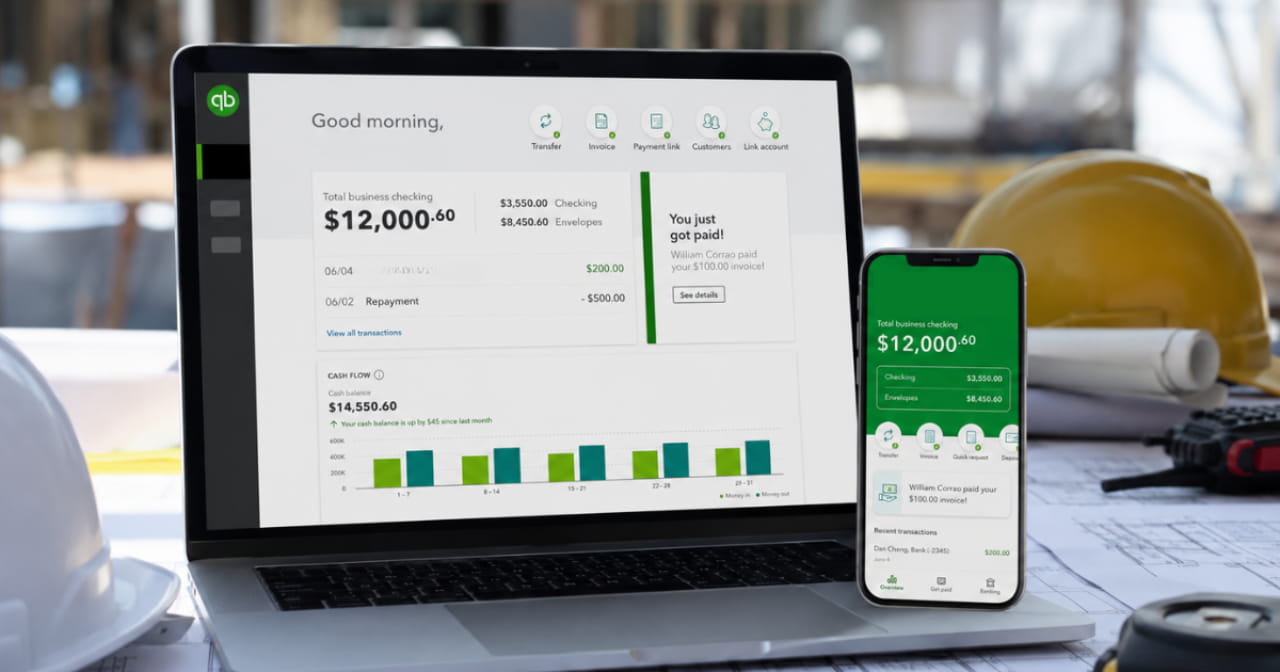

Contractors manage tight margins, multiple crews, fluctuating material costs, subcontractors, and overlapping projects all at the same time. Without accurate job costing, it becomes difficult to know which projects are actually profitable and where costs are starting to get out of control. That’s why QuickBooks job costing has become such an important tool for contractors looking to improve financial visibility and make better project decisions.
QuickBooks Online gives contractors a way to track labor, materials, subcontractor costs, and project profitability in one place without investing in expensive standalone construction software. When set up properly, QuickBooks job costing can help contractors create more accurate estimates, improve cash flow management, and monitor project performance in real time.
In this guide, we’ll walk through how contractors can use QuickBooks Online for job costing, common setup considerations, reporting best practices, and ways to improve long term project profitability.
Setting Up QuickBooks Job Costing for Contractors
Before contractors can accurately track project profitability, QuickBooks Online needs to be structured properly for job costing.
A. Turn on the “Projects” Feature
QuickBooks Online’s Projects feature allows contractors to organize job-related income, expenses, labor, and invoices within individual projects. Before using QuickBooks job costing, contractors should make sure the Projects feature is enabled within their QuickBooks Online account.
Once enabled, each customer job can be tracked separately, making it easier to monitor profitability, review costs, and keep project financials organized.
B. Refine Your Chart of Accounts (COA)
A clean COA ensures costs roll up correctly by category. Consider adding:
- Cost of Goods Sold: Labor (for employee wages and labor burden)
- Cost of Goods Sold: Materials (for raw materials, supplies)
- Cost of Goods Sold: Subcontractors (for specialty trades)
- Overhead Allocations (rent, utilities, insurance apportioned by project)
C. Create Service and Expense Items
- Service Items for billable labor rates (e.g., “Electrician – Standard Rate”)
- Inventory or Non‑Inventory Items for materials (e.g., “Copper Wiring – per foot”)
- Other Charge Items for pass‑through costs or miscellaneous fees
Linking categories consistently helps improve reporting accuracy and project profitability tracking.
Setting Up a New Project (Job)
For contractors using QuickBooks job costing, every new contract or customer job should be created as its own individual project within QuickBooks Online. Keeping projects separated helps contractors track labor, materials, subcontractor costs, invoices, and profitability more accurately across multiple active jobs.
When setting up a new project, contractors should include key details such as:
- Project name
- Customer or client information
- Estimated start and completion dates
- Project notes or scope details
Once a project is created, QuickBooks Online provides a centralized dashboard where contractors can review estimates, transactions, labor activity, invoices, and overall project profitability in one place.
This structure makes QuickBooks and job costing much easier to manage because all project related financial activity remains connected to the correct job from the beginning.
Recording Job Costs Accurately
Accurate job costing depends on consistent data entry across every project. For contractors using QuickBooks job costing, labor, materials, subcontractors, and other project expenses all need to be connected to the correct job in order for profitability reports to remain reliable.
Track Labor Costs Consistently
Labor is often one of the largest project expenses for contractors, making accurate time tracking essential for job costing. Whether using built in time tracking tools or manual timesheet entries, all labor hours should be assigned to the correct project and service category.
This helps contractors monitor labor costs more accurately and improves visibility into project profitability throughout the job lifecycle.
Record Bills and Project Expenses Correctly
Material purchases, subcontractor invoices, equipment rentals, and other project expenses should all be linked to the appropriate project and expense category within QuickBooks Online.
Common project expenses often include:
- Material and supply purchases
- Subcontractor costs
- Equipment rentals
- Fuel and vehicle expenses
- Permit or inspection fees
For contractors using QuickBooks job costing for contractors, accurate expense coding plays an important role in maintaining reliable profitability reports and identifying cost overruns earlier.
Manage Invoicing and Billable Costs
QuickBooks Online also allows contractors to track billable project expenses and pass through costs tied to specific jobs. This is especially useful for subcontractor charges, rental equipment, and reimbursable material costs that need to flow directly into customer invoices.
Keeping billable costs connected to the correct project helps improve invoice accuracy and ensures project revenue aligns properly with recorded expenses.
Monitoring QuickBooks Job Costing Reports
Once labor, materials, subcontractors, and other project costs are being tracked consistently, contractors can begin using QuickBooks Online reports to monitor profitability and identify potential issues earlier. One of the biggest advantages of QuickBooks job costing is the ability to review project financials in real time instead of waiting until the end of the job to uncover cost overruns.

Review Project Profitability Regularly
The QuickBooks Online Projects dashboard gives contractors a centralized view of project performance and financial activity. Reviewing project profitability regularly can help contractors make faster operational decisions and improve visibility across active jobs.
Key project metrics often include:
- Estimated revenue versus actual revenue
- Labor and material costs
- Unbilled time and expenses
- Project profitability and gross margin
- Outstanding invoices and payments
For contractors managing multiple projects at once, reviewing these numbers consistently can help identify problems before they impact overall profitability.
Use Job Costing Reports to Monitor Performance
QuickBooks Online includes several reports that support QuickBooks and job costing by helping contractors review project activity in more detail.
Important reports often include:
- Profit and Loss by Project
- Time Activities by Customer or Project
- Transaction Lists by Customer
- Budget versus Actual reporting
- Project profitability summaries
These reports help contractors compare estimates against actual costs, review labor activity, monitor spending trends, and identify projects that may be running over budget.
Create Consistent Reporting Habits
Consistent reporting reviews are one of the most important best practices for job costing in QuickBooks Online. Contractors who review project reports regularly are often in a much better position to adjust labor, pricing, materials, or subcontractor costs before small issues turn into larger profitability problems.
Many contractors schedule weekly or biweekly report reviews with project managers, office staff, or bookkeeping teams to maintain better visibility into active projects and overall financial performance.
Advanced Job Costing Techniques
As contractors grow, more advanced QuickBooks job costing strategies can help improve reporting accuracy and project profitability visibility.
Allocate Overhead More Consistently
Instead of assigning overhead costs manually across projects, contractors can allocate expenses such as rent, insurance, utilities, and administrative costs using consistent formulas tied to labor hours, revenue, or material spend. This creates a clearer picture of true project profitability.
Integrate Third Party Tools
Many contractors connect QuickBooks Online with time tracking, scheduling, payroll, or CRM software to improve project tracking and reduce manual data entry. Integrating these tools can help labor hours, expenses, and project activity flow more accurately into job costing reports.
Use Custom Fields for Better Project Tracking
Custom fields can help contractors track additional project details such as job phases, locations, project managers, or service categories. This gives contractors more detailed reporting and helps identify which phases or project types create the highest costs or strongest margins.
Best Practices for Job Costing in QuickBooks Online
1. Train Your Team Consistently
Even strong QuickBooks job costing systems can break down when data entry is inconsistent. Contractors should make sure employees understand how to track labor hours, categorize expenses, and assign transactions to the correct projects.
2. Review Cost Categories Regularly
Consistent cost categories help contractors maintain cleaner reports and more accurate project profitability tracking. Reviewing categories regularly can also help reduce miscoding across projects.
3. Review Job Profitability Frequently
Contractors should review project profitability reports regularly to identify labor overruns, unexpected material costs, or declining margins before problems grow larger.
4. Archive Completed Projects
Once projects are fully completed and invoiced, archiving them in QuickBooks Online can help keep project dashboards cleaner and easier to manage.
Conclusion
Mastering job costing in QuickBooks Online empowers contractors to bid smarter, manage cash more effectively, and optimize profitability on every project. By setting up Projects, refining your Chart of Accounts, diligently tagging time and expenses, and leveraging QBO’s reporting suite, you’ll gain the clarity needed to scale confidently.
If you’re looking for support with your bookkeeping and job costing, reach out to a professional bookkeeping firm, such as Aladdin Bookkeeping: Bookkeeping for Contractors for a free consultation.
Use this guide as your blueprint. Start with one small project, refine your process, then roll it out firm‑wide. Before long, you’ll be making data‑driven decisions that boost margins, win more bids, and keep your bookkeeping as solid as your craftsmanship.
FAQs
Does QuickBooks do job costing?
Yes. QuickBooks Online includes project tracking and reporting features that allow contractors to manage job costing by tracking labor, materials, subcontractors, and project profitability within individual jobs.
Is QuickBooks job costing good for contractors?
QuickBooks job costing can work well for contractors who need better visibility into project costs, labor tracking, and profitability without investing in larger construction management software platforms.
What is the best way to set up QuickBooks job costing?
The best setup typically includes organized project tracking, a clean Chart of Accounts, consistent expense categories, and accurate labor tracking across every project.
Can QuickBooks Online track labor and material costs by project?
Yes. Contractors can assign labor hours, material purchases, subcontractor expenses, and other costs directly to individual projects within QuickBooks Online.
What reports are important for QuickBooks and job costing?
Commonly used reports include Profit and Loss by Project, Time Activities by Customer, project profitability reports, transaction detail reports, and budget versus actual reporting.
Why is job costing important for contractors?
Job costing helps contractors understand which projects are profitable, identify cost overruns earlier, improve estimating accuracy, and maintain better financial visibility across active jobs.
What are the best practices for job costing in QuickBooks Online?
Best practices for job costing in QuickBooks Online include consistent project tagging, accurate labor tracking, organized expense categories, regular profitability reviews, and maintaining clean bookkeeping records.
Can subcontractor costs be tracked through QuickBooks job costing?
Yes. Subcontractor invoices and expenses can be assigned to specific projects, helping contractors track total project costs and review profitability more accurately.
How often should contractors review job costing reports?
Most contractors benefit from reviewing job costing reports weekly or biweekly to monitor labor costs, material spending, unbilled expenses, and project profitability.
Can QuickBooks job costing help improve estimating?
Yes. Historical project data from QuickBooks job costing can help contractors build more accurate estimates and improve future pricing decisions.