JobTread and QuickBooks Online Bookkeeping: Common Problems Contractors Should Avoid
Construction businesses have a lot to keep track of. Between estimates, material purchases, subcontractor bills, change orders, customer payments, and job profitability, it’s easy for financial information to become scattered across different systems.
That’s one reason many contractors use JobTread and QuickBooks Online together.
JobTread helps contractors manage construction projects, budgets, and job costs, while QuickBooks Online handles the company’s accounting records and financial reporting.
When the two systems are properly connected, they can reduce manual data entry and give business owners a clearer picture of their finances.
However, integrating two powerful systems such as JobTread and QuickBooks Online bookkeeping doesn’t always mean accuracy.
Duplicate transactions, incorrect cost-code mapping, missing project assignments, and inconsistent payment workflows can still cause problems.
And when those issues go unnoticed, contractors may make important business decisions based on inaccurate numbers.
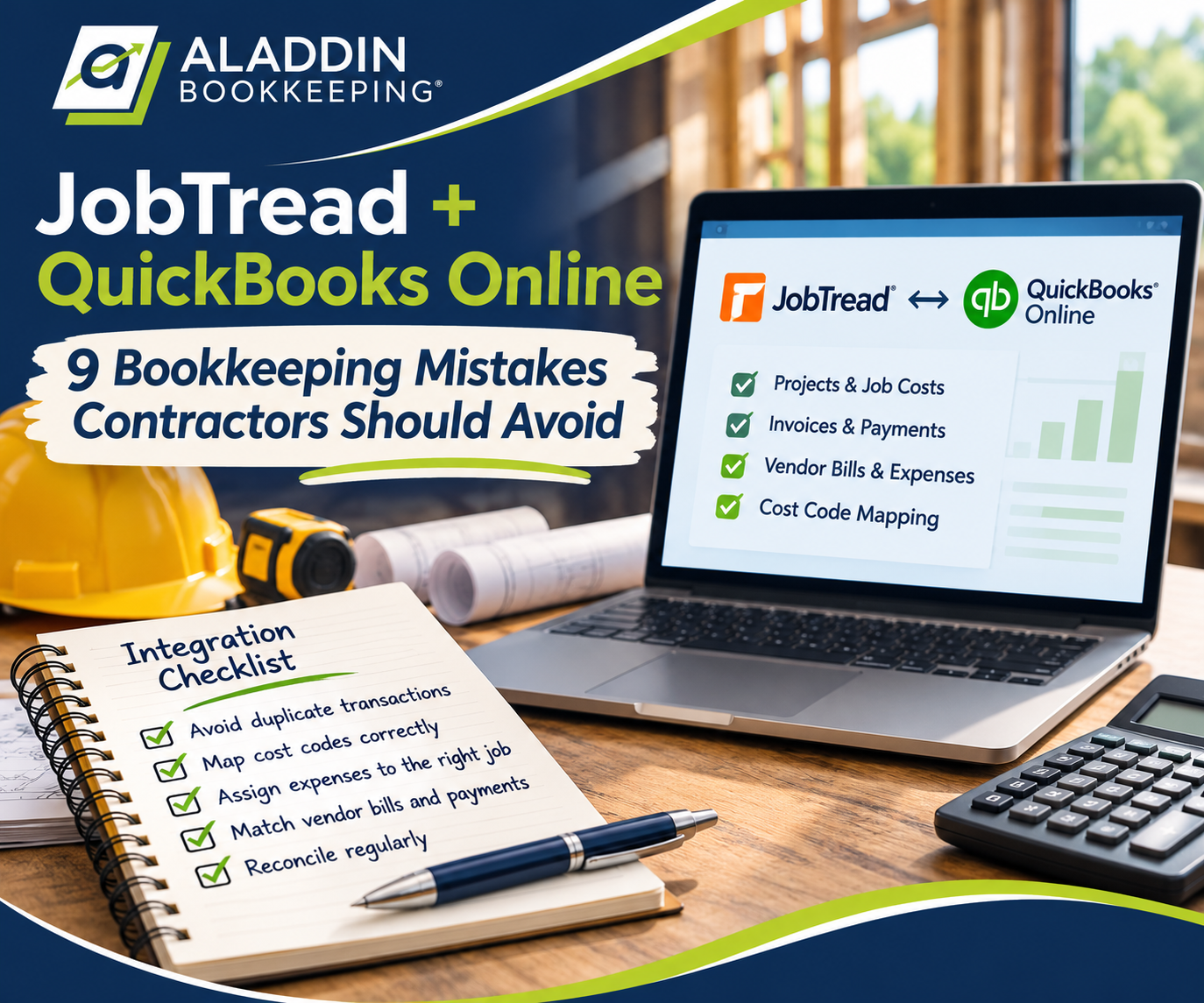
In this guide, we’ll explain how the JobTread and QuickBooks Online integration works, common bookkeeping mistakes contractors should watch for, and how to keep both systems working together.
How Does JobTread Integrate With QuickBooks Online?
JobTread’s QuickBooks Online integration is designed to connect construction project management with accounting.
Instead of entering the same information into two separate programs, contractors can synchronize supported financial records between JobTread and QuickBooks for bookkeeping.
Depending on the integration settings and transaction type, this can include:
- Customers and vendors
- Jobs and QuickBooks customers or projects
- Customer invoices and payments
- Vendor bills and bill payments
- Expenses
- Cost codes and QuickBooks products or services
- Time entries
- Credits and refunds
- Supporting attachments
Some information flows from JobTread to QuickBooks, while other records support two-way synchronization.
The specific direction matters because not every record behaves identically.
What Should Each System Be Used For?
Although the programs work together, they serve different purposes.
JobTread focuses on construction operations and project financials.
Contractors use it to manage estimates, job budgets, vendor costs, purchase orders, customer invoicing, and project profitability.
QuickBooks Online focuses on the accounting records.
It tracks bank and credit card activity, reconciliations, liabilities, financial statements, and other accounting information.
A contractor might use JobTread to determine how much material has been spent on a remodeling project while using QuickBooks to review the company’s overall profit and loss.
Both reports are useful, but they answer different questions.
Problems arise when contractors assume that because the programs are connected, the numbers will always match without review.

1. Duplicate Transactions Between JobTread and QuickBooks Bookkeeping
One of the most important things to understand about any accounting integration is how transactions are created and synchronized.
Consider a contractor who receives a $2,500 invoice from a lumber supplier.
The project manager enters the vendor bill into JobTread so the cost is assigned to the correct construction project.
That bill then syncs to QuickBooks Online.
Later, someone in the accounting department sees the same vendor charge in the QuickBooks bank or credit card feed.
If they don’t realize the transaction has already been recorded, they might categorize the bank-feed item as a new expense instead of matching it to the existing bill or bill payment.
Now the business may have two expenses for the same purchase.
How Duplicate Expenses Affect Contractors
A duplicated $2,500 material purchase could result in:
- Overstated material expenses
- Incorrect project costs
- Understated company profit
- Incorrect accounts payable balances
- Reconciliation discrepancies
The exact effect depends on how the duplicate was recorded.
For example, an unpaid bill and a second expense entry may distort both accounts payable and the profit and loss statement.
The solution isn’t to stop using the integration. It’s to establish a clear process for entering, syncing, and reconciling transactions.
How to Prevent Duplicate Transactions
Before recording a new expense in QuickBooks, check whether it already exists as a bill, expense, or payment.
If a vendor bill originated in JobTread and synchronized to QuickBooks, the corresponding bank withdrawal generally needs to be matched to the appropriate existing payment rather than recorded as another expense.
It’s also important to establish who is responsible for entering vendor bills.
When project managers, office administrators, and bookkeepers all enter the same documents independently, duplicate transactions become much more likely.
2. Incorrect Cost-Code Mapping
Cost codes are one of the most important parts of construction job costing.
They allow contractors to organize project expenses into meaningful categories, such as:
- Site preparation
- Framing materials
- Framing labor
- Electrical
- Plumbing
- Drywall
- Painting
- Subcontractor costs
For example, a general contractor building a residential home may want to know exactly how much was spent on framing compared with the original budget.
JobTread uses cost codes to help organize and monitor these expenses.
In the QuickBooks Online integration, JobTread cost codes can map to QuickBooks products and services, which are connected to accounting categories.
This means incorrect mapping can affect both your project reports and your accounting reports.
An Example of Incorrect Cost Mapping
Suppose a contractor purchases $4,000 of lumber for a residential project.
The transaction is assigned to the correct job in JobTread, but the associated QuickBooks product or service is mapped to Office Supplies instead of a construction materials cost account.
The project may still show the expense, but the QuickBooks profit and loss statement will categorize it incorrectly.
If this happens repeatedly, the company’s cost of goods sold and operating expense categories may become misleading.
The contractor might believe material costs are lower than they actually are.
How to Avoid Cost-Code Problems
Review how JobTread cost codes correspond to QuickBooks products, services, and accounts.
Make sure similar expenses are treated consistently.
For example, direct job materials should generally be distinguished from office supplies and other administrative expenses.
Contractors should also periodically compare their JobTread cost reports with the corresponding QuickBooks financial information.
For more information, see JobTread’s guide to construction cost codes and QuickBooks mapping.
3. Expenses Assigned to the Wrong Construction Project
Even when a transaction is categorized correctly, it may still be assigned to the wrong job.
Imagine a plumbing contractor working on three construction projects simultaneously.
An employee purchases $1,800 of materials for Project A.
The expense is correctly recorded as job materials, but it’s accidentally assigned to Project B.
From the company’s perspective, the total expense may be correct.
However, the job-costing reports are now inaccurate.
Project A appears more profitable than it really is, while Project B appears less profitable.
This is especially concerning when contractors use job profitability reports to evaluate estimating accuracy or determine pricing for future projects.
Why Project Assignments Matter
A contractor can have an accurate overall profit and loss statement while still having inaccurate job-costing reports.
That’s because company-wide financial statements and project-level reports measure different things.
The profit and loss statement may correctly show $50,000 in material expenses.
But if $10,000 of those expenses were assigned to the wrong projects, individual job profitability reports may be unreliable.
How to Prevent Incorrect Job Assignments
Require employees and project managers to identify the correct job when submitting expenses and receipts.
Review expenses that have no project assignment, particularly purchases from suppliers that regularly provide job materials.
It’s also helpful to establish a process for correcting job assignments when mistakes are discovered.
A monthly bookkeeping review should include more than checking whether transactions were assigned to an expense category.
For construction businesses, the correct job assignment can be just as important as the correct accounting category.
4. Vendor Bills and Payments Don’t Match
Vendor bills are another area where construction bookkeeping can become complicated.
Contractors frequently work with suppliers and subcontractors who submit invoices throughout a project.
Some bills are paid immediately.
Others are paid according to payment terms or construction milestones.
If vendor bills are recorded in JobTread and synchronized to QuickBooks, the accounting workflow should ensure those same bills aren’t independently recreated in QuickBooks.
It should also ensure that payments are applied to the correct outstanding bills.
A Common Example
A subcontractor submits a $6,000 invoice.
The invoice is entered in JobTread and synced to QuickBooks.
The contractor pays the subcontractor by ACH.
When the payment appears in the QuickBooks bank feed, someone records it as a new subcontractor expense rather than applying it to the outstanding bill.
Now the original bill may still appear unpaid in accounts payable, even though the contractor has already paid the subcontractor.
The financial statements may also show an additional expense.
What Contractors Should Review
Compare the outstanding vendor bills in QuickBooks with actual unpaid obligations.
Investigate bills that appear overdue even though the contractor believes they were paid.
Review whether bank transactions were matched to existing bill payments or categorized as new expenses.
Also confirm that vendor credits, refunds, and partial payments are recorded appropriately.
Accurate accounts payable records help contractors understand what they actually owe.
5. Customer Invoices and Payments Are Recorded Twice
The same duplication risk can affect customer invoices and payments.
For example, a contractor creates a $15,000 progress invoice in JobTread.
The invoice syncs to QuickBooks Online.
When the customer pays, the payment should be recorded and linked to the correct invoice through the established workflow.
Problems can occur when someone manually records another invoice or payment without checking the existing records.
Why This Causes Problems
Depending on the entries, duplicate invoices or payments can cause:
- Overstated revenue
- Incorrect accounts receivable balances
- Unapplied customer payments
- Duplicate bank deposits
- Incorrect customer balances
A contractor might believe a customer still owes money when the payment was simply recorded incorrectly.
Alternatively, income could be overstated because the same invoice was entered twice.
How to Keep Customer Payments Accurate
Determine which system employees should use to create invoices and record payments.
Then confirm how those records synchronize with QuickBooks.
When reconciling bank deposits, verify whether the payment is already recorded.
Don’t automatically categorize every customer deposit as new income.
If the deposit relates to an existing invoice, the payment generally needs to be applied to that invoice.
Customer deposits received before work is earned may require different accounting treatment depending on the facts and the company’s accounting basis.
6. JobTread and QuickBooks Reports Don’t Agree
One of the most frustrating situations for contractors is reviewing two reports that show different numbers.
For example, JobTread might show $80,000 in costs for a project while a QuickBooks project report shows $74,000.
Which number is correct?
The answer depends on what each report includes and how the underlying transactions were recorded.
Why Reports Can Differ
Differences may arise because:
- Some expenses haven’t synchronized.
- Transactions were assigned to different jobs.
- Cost codes were mapped incorrectly.
- One report includes committed costs while another shows actual recorded costs.
- The reports cover different date ranges.
- One report uses different accounting or recognition rules.
- Credits or adjustments were recorded differently.
It’s important to distinguish budgeted costs, committed costs, actual costs, and payments.
A purchase order may represent an expected or committed project cost without yet being a recorded expense in QuickBooks.
Similarly, a vendor bill may be recorded as an expense under accrual accounting even though it hasn’t been paid.
Those differences don’t automatically indicate that something is wrong.
How to Investigate Discrepancies
Start by comparing reports for the same job and date range.
Identify whether you’re comparing actual expenses or a broader measure of project costs.
Then review the underlying transactions rather than trying to force the totals to match.
If a report includes commitments or projected costs, it shouldn’t necessarily equal a QuickBooks profit and loss report.
The goal is to understand what each number represents.
7. Credit Card Transactions Aren’t Properly Matched
Credit cards are widely used by contractors for materials, fuel, tools, and other business expenses.
They’re also a common source of duplicate bookkeeping entries.
Suppose a project manager records a $750 purchase in JobTread and that expense is synchronized to QuickBooks.
When the same charge appears in the QuickBooks credit card feed, the bookkeeper needs to determine whether it should be matched to an existing record.
If it’s recorded again as a new expense, the company may double-count the purchase.
The problem becomes even more complicated when multiple employees use company credit cards.
Why Credit Card Reconciliation Matters
A contractor may have several employee cards, each used for different projects.
Without a consistent receipt and reconciliation process, it can become difficult to determine:
- Who made the purchase
- Which project the expense belongs to
- Whether the purchase was already recorded
- Whether the transaction was duplicated
- Whether the credit card balance is accurate
Reviewing the bank feed is only one part of the process.
Contractors should also reconcile credit card balances to the actual statements and investigate unexplained differences.
8. Changes Made in One System Aren’t Reviewed in the Other
Another potential problem occurs when users edit transactions after they have synchronized.
For example, an employee may update a vendor bill, change its cost code, or move an expense to another project.
Depending on the transaction, integration settings, and synchronization behavior, that change may need additional review in QuickBooks.
Not every field necessarily synchronizes in the same direction.
And some changes to reconciled or historical accounting transactions can affect financial reports.
Why Historical Changes Can Be Risky
Suppose a bill from a prior accounting period is edited after the books have already been reconciled and reviewed.
The change might alter expense classifications, project costs, or other financial information.
If no one checks the impact, previously reviewed reports may no longer agree with the updated records.
A Better Process
Establish guidelines for editing older transactions.
Before changing a bill, invoice, or payment, determine whether it has already been synchronized, reconciled, or included in completed financial reports.
When correcting historical information, document the reason for the change and review its accounting impact.
This helps preserve reliable records while allowing genuine mistakes to be corrected.
9. Contractors Rely on the Integration Instead of Reviewing Their Books
One of the biggest misconceptions about integrated software is that automation eliminates the need for bookkeeping oversight.
JobTread and QuickBooks can significantly reduce repetitive data entry.
However, automation doesn’t guarantee that every transaction is categorized correctly or assigned to the appropriate project.
If a vendor bill is entered incorrectly, the integration may simply transfer that incorrect information into the other system.
Likewise, a transaction can synchronize successfully without necessarily being treated correctly for accounting purposes.
Successful synchronization and accurate bookkeeping are not the same thing.
Contractors still need regular financial reviews to catch errors.
What Should Contractors Review Every Month?
A monthly bookkeeping review for a business using JobTread and QuickBooks should include several areas.
Bank and Credit Card Reconciliations
Confirm that all bank and credit card accounts are reconciled to their statements.
Investigate missing, duplicated, or incorrectly recorded transactions.
Accounts Receivable and Accounts Payable
Review outstanding invoices and unpaid vendor bills.
Make sure payments have been properly applied and investigate old balances.
Job Cost Assignments
Look for project-related expenses that haven’t been assigned to a job or that appear under the wrong project.
Cost-Code Mapping
Review unusual expense categories and confirm that construction costs are being recorded consistently.
Project Profitability
Compare actual costs with budgets and investigate significant differences.
Financial Statements
Review the profit and loss statement and balance sheet for unusual balances, unexpected changes, or transactions that don’t appear reasonable.
These reviews help identify problems before they accumulate into a much larger cleanup.
Why Accurate Job Costing Matters More Than You Think
For contractors, accurate bookkeeping isn’t just about preparing financial statements.
It can directly influence business decisions.
Imagine two remodeling projects that each generate $100,000 in revenue.
Project A has $75,000 in costs.
Project B has $92,000 in costs.
| Project A | Project B | |
|---|---|---|
| Revenue | $100,000 | $100,000 |
| Costs | $75,000 | $92,000 |
| Gross profit | $25,000 | $8,000 |
| Gross margin | 25% | 8% |
Although both projects generated the same revenue, their profitability was very different.
If material expenses, subcontractor bills, or labor costs were assigned incorrectly, the contractor might never realize why one project performed so poorly.
Accurate job costing helps contractors identify which types of projects are profitable and where costs are exceeding expectations.
It can also reveal problems with estimating, purchasing, and project management.
But those insights are only as reliable as the underlying financial records.
Do You Still Need a Bookkeeper If You Use JobTread?
JobTread can help contractors organize project finances and reduce manual bookkeeping work.
However, it doesn’t replace the need to maintain accurate accounting records.
A construction-focused bookkeeper can help review transactions, reconcile accounts, identify duplicates, investigate discrepancies, and ensure that financial reports accurately reflect the business.
This is particularly valuable when a contractor uses multiple systems for project management, payroll, banking, credit cards, and accounting.
The bookkeeper’s role isn’t simply to enter transactions.
It’s to help make sure the information recorded in the accounting system is complete, consistent, and reliable.
Why Work With a JobTread-Certified Bookkeeper?
Construction accounting requires an understanding of both bookkeeping principles and how contractors operate.
A bookkeeper who understands JobTread’s financial workflows and QuickBooks Online integration is better positioned to recognize where information may be duplicated, misclassified, or assigned incorrectly.
At Aladdin Bookkeeping, we specialize in bookkeeping for contractors and construction businesses.
We’re also pleased to share that we’ve earned the JobTread Bookkeeper Certification as part of our participation in the JobTread Accounting Partner Program.
The certification includes training in JobTread’s financial management features, job costing, expenses, invoicing, reporting, and integrations with QuickBooks Online.
Combined with our QuickBooks expertise and construction bookkeeping focus, this training supports our work helping contractors maintain more accurate and organized financial records.
Our goal is to help business owners understand their numbers without spending hours trying to identify bookkeeping discrepancies themselves.
Frequently Asked Questions About JobTread and QuickBooks Online
Does JobTread Integrate With QuickBooks Online?
Yes. JobTread offers a QuickBooks Online integration that synchronizes supported financial records, including invoices, bills, payments, customers, vendors, and cost codes.
The direction and behavior of synchronization depend on the record type and integration settings.
Can JobTread Replace QuickBooks Online?
JobTread is primarily a construction management platform with project financial tools, while QuickBooks Online provides general accounting, bank reconciliations, and company financial reporting.
Many contractors benefit from using both programs together.
Why Are My JobTread and QuickBooks Numbers Different?
Differences can result from missing transactions, incorrect job assignments, cost-code mapping, timing differences, or comparing reports that measure different types of costs.
Review the underlying transactions and report settings before assuming one system is incorrect.
Can JobTread and QuickBooks Create Duplicate Transactions?
Duplicate accounting entries can occur if users independently enter transactions in both systems or record bank-feed activity as new expenses when the transactions already exist.
A consistent entry and reconciliation process helps prevent duplication.
How Do JobTread Cost Codes Work With QuickBooks?
JobTread cost codes can map to QuickBooks products and services, which are associated with accounting categories.
Proper mapping helps project costs flow into appropriate financial accounts.
Does JobTread Automatically Track Job Costs?
JobTread provides job-costing features that help contractors monitor budgeted, committed, actual, and projected costs.
Accurate results still depend on correctly entered and assigned transactions.
Should Vendor Bills Be Entered in JobTread or QuickBooks?
The best workflow depends on the business’s integration settings and responsibilities.
What’s most important is establishing one consistent process and avoiding duplicate bill entry.
Can I Reconcile My Bank Accounts in JobTread?
QuickBooks Online is generally used for bank and credit card reconciliation when the business uses the JobTread and QuickBooks integration.
JobTread focuses on construction project management and related financial workflows.
Why Are Some Expenses Missing From My JobTread Project Reports?
Possible causes include incorrect job assignments, missing cost codes, synchronization issues, or transactions that were recorded only in QuickBooks without the necessary project information.
Review the expense details and the integration workflow.
What Does a JobTread-Certified Bookkeeper Do?
A JobTread-certified bookkeeper has completed training and assessment covering JobTread’s bookkeeping and financial workflows, including job costing, expenses, reporting, and accounting integrations.
The certification demonstrates platform training, but the specific services offered depend on the bookkeeping firm.
Final Thoughts: JobTread and QuickBooks Work Best With a Reliable Bookkeeping Process
JobTread and QuickBooks Online can be a powerful combination for contractors.
Together, they can help businesses organize project information, reduce duplicate data entry, and better understand job costs.
But the integration alone doesn’t guarantee accurate financial reports.
Duplicate transactions, incorrect cost-code mapping, missing job assignments, and inconsistent payment recording can still create significant bookkeeping problems.
The best results come from combining the software with clear processes and regular accounting reviews.
When your transactions are recorded correctly, your accounts are reconciled, and your job costs are properly assigned, you can make business decisions with greater confidence.
Need Help With JobTread and QuickBooks Bookkeeping?
If your construction business uses JobTread and QuickBooks Online, but you’re struggling with duplicate transactions, inaccurate job costs, or financial reports that don’t make sense, Aladdin Bookkeeping can help you investigate the underlying accounting issues.
We specialize in contractor bookkeeping, QuickBooks Online, reconciliations, and bookkeeping cleanup.
As a JobTread-certified bookkeeping partner, we’re continuing to build on our construction accounting expertise to better serve contractors using modern project management software.
Contact Aladdin Bookkeeping to learn more about our construction bookkeeping services.